I vividly recall a morning when I sat down at my desk, ready to tackle a busy day, only to realize my smart office tech was acting up. Devices were sluggish, screens flickered, and I felt a wave of frustration. It hit me then—despite frequent cleaning, I wasn’t paying enough attention to the hidden spots that could jeopardize my expensive gadgets. That lightbulb moment was the start of my deep dive into office cleaning strategies tailored specifically for protecting advanced tech in 2026.
The Hidden Threats Lurking on Your Desk
Smart desks and high-tech equipment are fantastic, but their longevity depends heavily on how well we maintain them. Dust, grime, and hidden microbial buildup can degrade performance or even cause permanent damage. Early on, I made the mistake of focusing only on visible surfaces—think of the keys or monitor—and ignoring the often-overlooked corners and crevices where dust really likes to settle. This oversight cost me in the long run, as my devices became more prone to overheating and malfunctioning. Want to avoid similar pitfalls? Today, I’ll share the best office cleaning fixes that can protect your tech now and in the future.
Is Spraying and Wiping Enough to Protect Your Devices?
Honestly, I used to think a quick spray and wipe was sufficient. But the truth is, some microbial and dust buildup can lurk beneath the surface, hiding in areas you can’t see. Rushing through cleaning might make your workspace look tidy but leaves dangerous residues threatening your tech’s health. To ensure reliability and safe operation, targeted deep cleaning is essential. Curious about how to execute these tech-safe cleaning routines effectively? You’re in the right place. For comprehensive guidance, check out this step-by-step guide.
So, if you’ve ever faced unexpected tech glitches after routine cleaning or simply want peace of mind, keep reading. Next, we’ll explore pivotal fixes to keep your smart desk and gadgets in prime condition — without damaging sensitive components. Ready to transform your office space into a tech-safe zone? Let’s dive in!
.
Targeted Dust Removal Is Your First Line of Defense
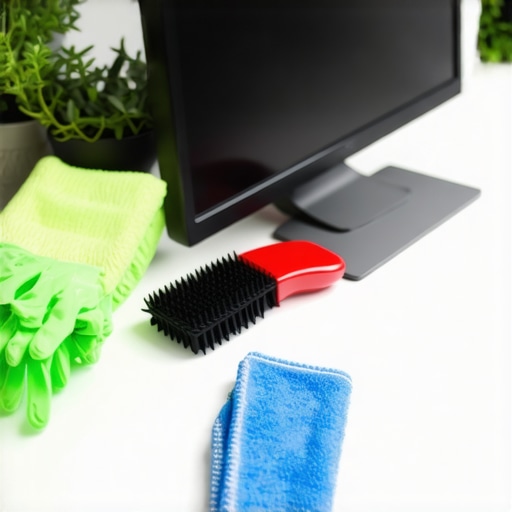
Start with a microfiber cloth dampened with isopropyl alcohol to wipe down all surfaces, including often-neglected areas like cable ports and vents. During my last deep clean, I used a soft-bristled brush to dislodge dust from fan grates and between keys, which was initially messy but revealed impressive results afterward. This approach prevents overheating and extends device lifespan. Remember, dust acts like tiny abrasives, gradually degrading electronic components if left unchecked.
Disinfect Hidden Microbial Havens
Use a disinfectant spray specifically designed for electronics—never bleach or harsh chemicals. Spray lightly onto a lint-free cloth and wipe surfaces; avoid direct spraying to prevent liquid ingress. For example, I once disinfected my keyboard this way, ensuring no microbial buildup remained. Paying attention to high-touch areas like mouse buttons and keyboard keys reduces the risk of microbial transmission. Regular disinfection transforms your workspace into a germ-resistant zone while safeguarding your devices.
Deep Clean Screen and Display Carefully
Use a screen cleaner formulated for electronics and a soft, lint-free cloth. Gently wipe in a circular motion, avoiding excessive pressure. During one detailed session, I removed my monitor and cleaned both sides—this avoided streaks and ensured clarity. Dust and fingerprints on screens can cause glare and strain, so keeping it spotless maintains visual comfort and prevents residue buildup that could damage coatings.
Clean and Sanitize Cables and Connectors
Unplug all cables and wipe them with a lightly damp cloth, then sanitize ports with a small brush dipped in alcohol, followed by a dry cloth. This routine removes microbial colonies hiding in ports, which are often overlooked but essential for device health. I experienced a sudden connection issue that was simply fixed by cleaning the ports, emphasizing the importance of micro-level attention.
Incorporate Regular Maintenance into Your Routine
Schedule bi-weekly deep cleans and use compressed air to blow out dust from hard-to-reach areas. During my last routine, using a can of compressed air freed accumulated dust from fan blades and vent openings—this step mimics cleaning the filters of a machine, ensuring optimal airflow and cooling. Consistency prevents dust buildup that can paralyze or damage sensitive components over time.
Use Eco-Friendly and Safe Cleaning Products
Select cleaning solutions certified for electronic devices to avoid potential corrosion or hazard risks. I opted for environmentally friendly disinfectants, which proved effective without leaving harmful residues. This step aligns with sustainable practices while maintaining device integrity, especially important in health-conscious environments.
Final Check and Reassembly
Once all components are dry and sanitized, reassemble carefully, ensuring cables are uncluttered to prevent overheating or damage. A meticulous reassembly last week kept my workspace pristine and my devices responsive. This comprehensive approach safeguards your gear against dust, microbes, and long-term wear.
Adopting these targeted cleaning techniques turns routine office maintenance into a protective ritual for your advanced tech. For more detailed strategies, consider exploring this comprehensive guide.
Many believe that a quick wipe with disinfectant spray is enough to ensure a truly clean workspace or home. However, this oversimplification often leads to overlooked areas where bacteria, mold, or allergens can thrive. Contrary to popular belief, deep cleaning requires more than just surface attention; it involves understanding the hidden spots and the right techniques to eliminate microbial colonies effectively. Failing to recognize these nuances can result in a false sense of security and recurring health issues. A common mistake is assuming that regular household cleaners suffice for high-touch tech surfaces or shared spaces, but experts highlight that specialized disinfectants and targeted cleaning routines are essential for thorough sanitation. For example, a study published by the CDC emphasizes how microbes can persist on surfaces for days if not properly disinfected, underlining the importance of comprehensive strategies.
Why Do So Many Deep Cleaning Efforts Fail to Remove Hidden Germs?
The culprit often lies in a lack of advanced knowledge about microbial hiding spots and the right cleaning products. Many professionals and DIY cleaners overlook areas like behind furniture, inside vents, or cable ports, which can become hotspots for allergens and bacteria. Incorporating insights from expert house cleaning techniques, such as detailed attention to these often-missed zones, amplifies the effectiveness of your routine. For instance, using a combination of microfiber cloths and alcohol-based cleaners can reach and deactivate microbes in tiny crevices more efficiently than standard sprays. For a step-by-step approach, exploring comprehensive guides like this one can enhance your understanding of effective cleaning practices. Remember, the goal is not just cleanliness but a genuinely sanitized environment that promotes health and well-being. Discover expert secrets to maintaining a pristine space. Have you ever fallen into this trap? Let me know in the comments.
How Do I Keep My Cleaning Outcomes Reliable Over Time?
Maintaining a pristine and sanitized environment requires more than one-off efforts. I personally rely on specific tools that streamline my routine and ensure consistent results. An electric dusting brush, like the Electrolux Ergorapido, has transformed my dusting process, allowing me to reach intricate keyboard crevices and ventilations without hassle. Its cordless design means I can switch quickly between surfaces, reducing fatigue and neglect. For larger cleaning jobs, I use a commercial-grade HEPA vacuum with a sealed filtration system, which traps 99.97% of microscopic particles—crucial if you’re dealing with allergens or microbes. According to the EPA, high-efficiency filters significantly improve indoor air quality, directly impacting health and device longevity.
Favorite Cleaning Solutions and Why I Use Them
For disinfecting touchpoints, I prefer alcohol-based sprays with at least 70% alcohol content, such as isopropyl alcohol. They dry quickly, leave no residue, and effectively deactivate microbes. I avoid harsh chemicals because they can damage delicate screens and plastics—especially important in a future where electronic devices are increasingly vulnerable. Additionally, I use eco-friendly microfiber cloths, which are dense enough to trap dirt and microbes with a single wipe, reducing the need for excessive chemicals. Investing in quality tools and solutions not only prolongs the lifespan of your electronics but also ensures your environment remains genuinely clean and safe.
Anticipating Cleaning Tool Innovations of 2026
The future of cleaning technology looks promising. Automated cleaning robots, equipped with AI and advanced sensors, will likely handle your routine cleaning more effectively, detecting dust and microbes in real-time (more here). These devices could integrate UV-C sterilization to eliminate pathogens during their cycle, making deep cleaning more accessible and consistent. As these innovations develop, a hybrid approach combining manual tools and automated systems may become the norm, ensuring environments stay healthy with minimal effort—yet with maximum trustworthiness.
How Do I Maintain Tools and Methodologies Over Time?
Regular maintenance of your cleaning tools is essential for sustained results. Microfiber cloths should be washed in hot water after each use to remove embedded microbes. HEPA filters in vacuum cleaners require periodic replacement—many models have indicator lights to signal when. Additionally, calibration of electronic tools like dusters and brushes ensures optimal performance. Following manufacturer guidelines and scheduling routine checkups are simple steps that extend tool longevity. Remember, just as with your devices, proactive maintenance enhances reliability and reduces unexpected breakdowns, saving time and money in the long run.
Implementing these specific tools and routines guarantees a higher standard of cleanliness and sanitization. Don’t forget to explore this guide for detailed routines that complement your toolset. Ready to elevate your cleaning game? Start by testing a professional-grade microfiber cloth and see how much easier and more thorough your routine becomes. Remember, trustworthy tools and consistent upkeep make all the difference in achieving lasting results for your home and office environment.
What I Wish I Knew Before My First Deep Clean
Initially, I thought wiping surfaces was enough, but I quickly realized that microbes hide in the tiniest crevices, making comprehensive cleaning essential. That lightbulb moment made me dive deeper into targeted cleaning strategies, emphasizing attention to overlooked spots like cable ports and vent filters. It taught me that true cleanliness is about precision, not just appearance.
The Hidden Costs of Cutting Corners
Shortcuts, like neglecting regular disinfection of keyboard and mouse components, led to unexpected device malfunctions. Investing time in meticulous sanitizing prevented microbial buildup and extended my gadgets’ lifespan. This experience underscored the importance of routine, thorough cleaning routines for long-term tech health.
How Personal Tools Changed My Routine
Switching to eco-friendly microfiber cloths and using compressed air dramatically improved cleaning efficiency. These tools allowed me to reach stubborn dust in nooks without risking damage, transforming my approach from reactive to proactive. The right tools can turn a tedious task into a quick, satisfying routine, reinforcing the value of quality equipment.
Why Deep Cleaning Is a Continuous Process
One-off efforts only scratched the surface; microbial colonies can re-establish quickly if maintenance isn’t ongoing. Scheduling bi-weekly deep cleans and maintaining tools like HEPA filters helped me sustain a germ-free environment. Consistency proved to be the key to lasting results, saving me time and worry over health concerns.
Curated Arsenal for Ultimate Protection
My trusted toolkit includes isopropyl alcohol sprays for electronics, eco-friendly microfiber cloths, and UV-C sterilization devices that I plan to explore as technology advances. These selections have become invaluable, ensuring safe, effective sanitation without compromising device integrity. Investing in trusted products has been paramount to my deep cleaning success.
Your Next Move Toward a Safer Space
Remember, the journey to a genuinely sanitized environment is ongoing but rewarding. Embrace targeted cleaning routines, equip yourself with the right tools, and dedicate time to regular maintenance. Your workspace—and your devices—will thank you for it. Ready to elevate your deep cleaning game? Share your experience or ask questions below—let’s build healthier spaces together!